Default Mode
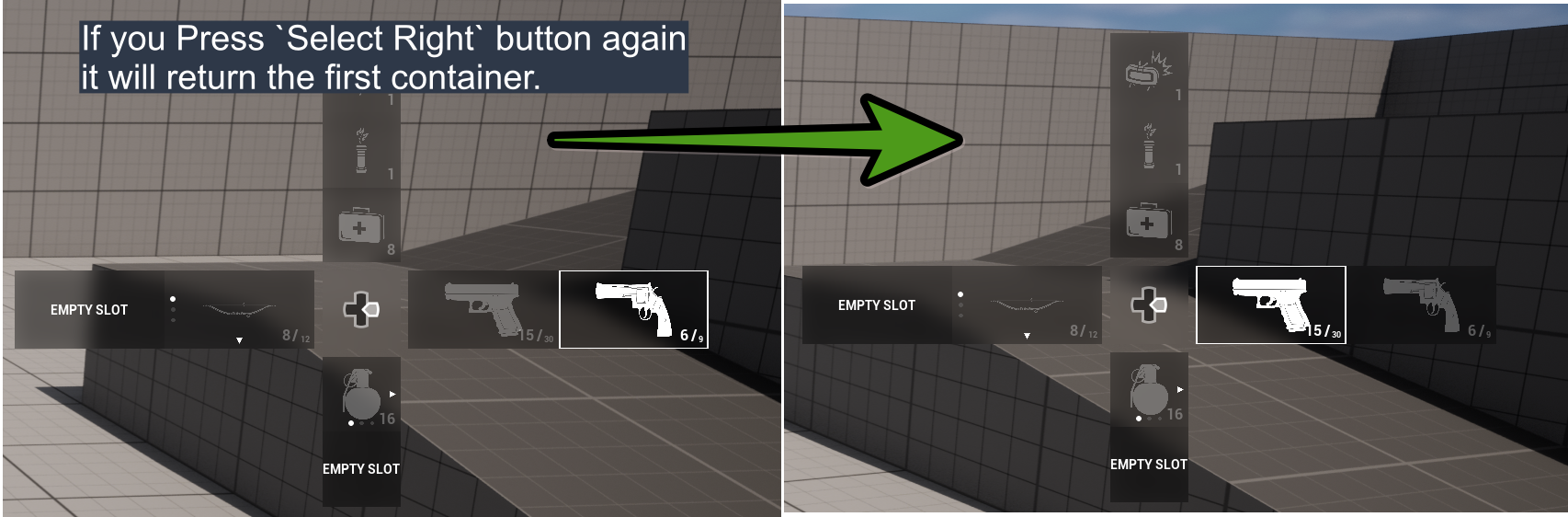
When you input a direction, the system selects the first valid container in that direction.If there is no valid container in the given direction, the input is ignored. If more than one valid container exists in that direction, the system selects the next available one. If Cycled Container Changing is enabled in the configuration file, and the last container in a direction is currently selected, providing the same directional input again will wrap around and select the first container in that direction.
Nested Mode
When you hover over a container that contains multiple slots:- The Change Slot Widget appears (this widget can be customized in the Config asset).
- The Change Slot Mapping Context is bound.
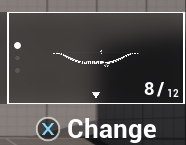
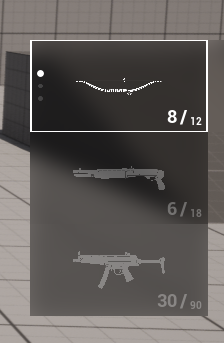
- If you input the same direction as the container’s primary direction, or the opposite direction, you can navigate between the slots inside that container.
- Slot cycling behavior (wrapping from last to first) can be enabled via Cycled Slot Changing in the configuration.
- If you input a perpendicular direction, you can move to other containers (unless Can Travel Other Containers in Nested Mode is disabled in the configuration).
- All expanded containers collapse.
- Nested Mode is deactivated.
- Slot selection events are fired for the currently selected slot.
Debounce Mechanism
Applies a debounce delay before a container or entry is considered selected. This prevents rapid directional navigation from immediately committing selection changes while the user is still navigating. For example, if you want to navigate to the third container in the up direction, without debounced selection the first and second containers would also be briefly marked as selected while the focus passes through them. Debounced selection solves this problem by requiring the focus to remain on an entry for a defined amount of time before it is committed as selected. The entry must remain focused for the specifiedDebounce Duration in Seconds before it is marked as selected.
If debounce turned off, in an example like the one above, the following functions would be called in sequence:
- Unselected for Pistol
- Selected for Medkit
- Unselected for Medkit
- Selected for Pipe Bomb
- Unselected for Pipe Bomb
- Selected for Mine
- Unselected for Pistol
- Selected for Mine
