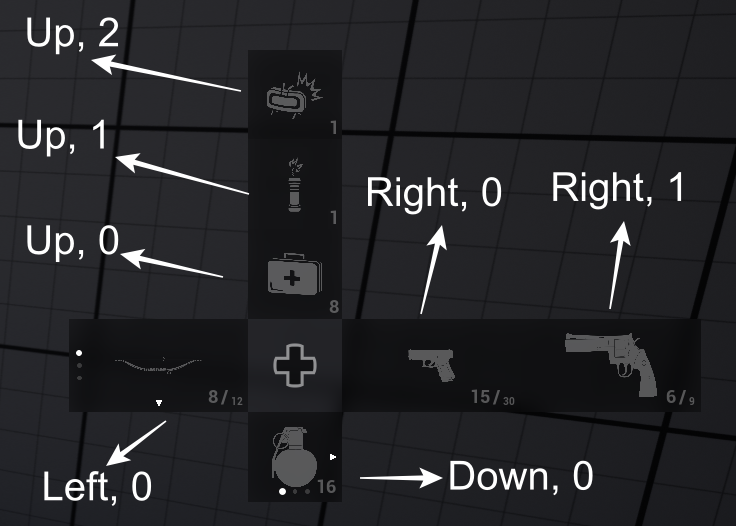
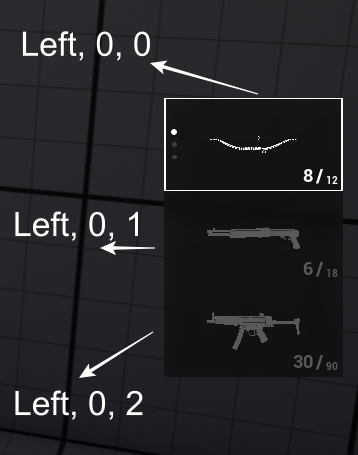
AC_FDM_Component does not hardcode where entries should be placed.Instead, it uses layout configuration data to determine placement rules at runtime. Each entry provides entry metadata and the component resolves a suitable container location based on the active configuration.
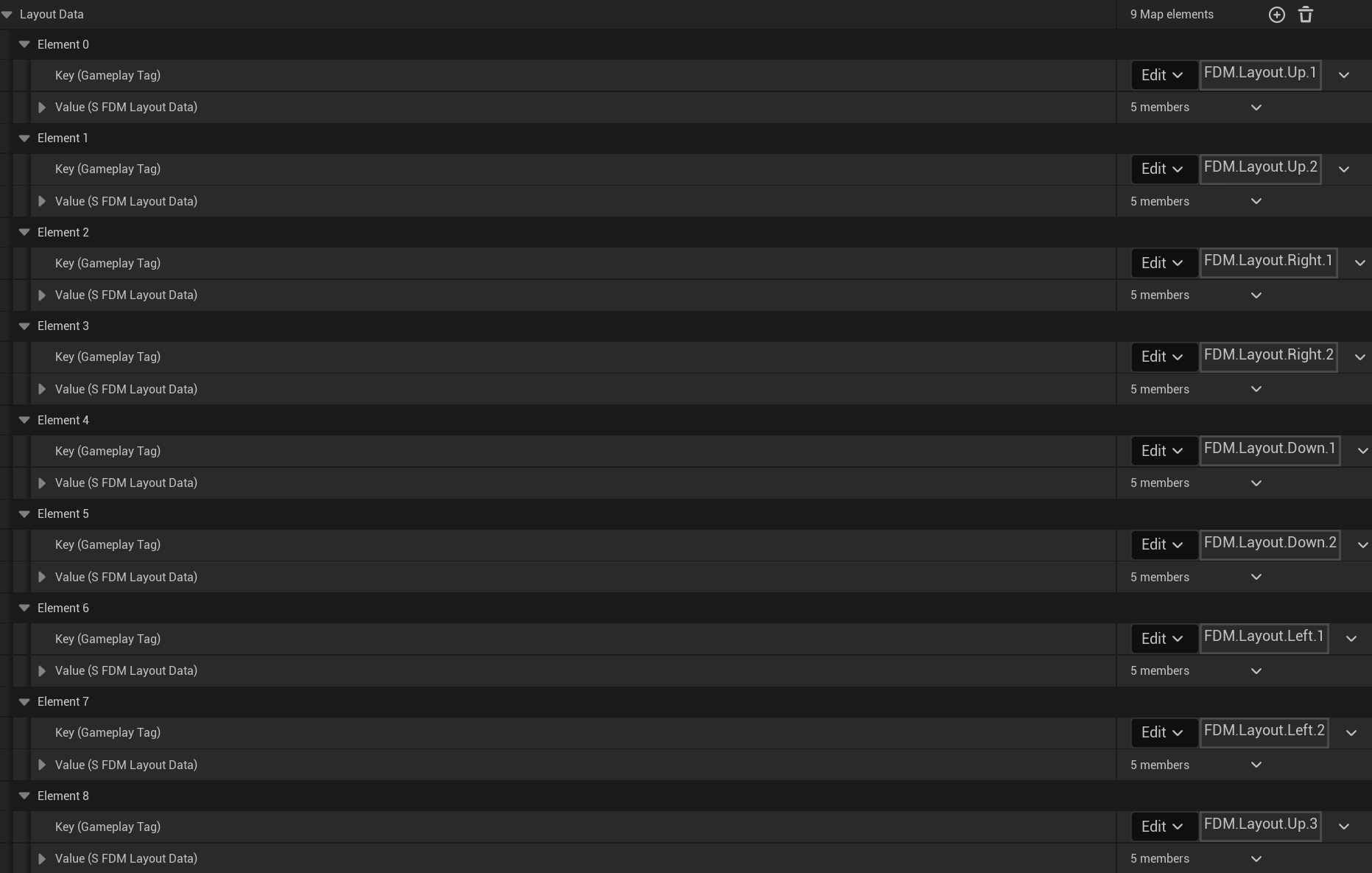

FDM.Layout.Right.1FDM.Layout.Right.2
FDM.Layout.Right.1 added before FDM.Layout.Right.2 in the configuration, it will:
- Be initialized earlier
- Appear closer to the center of the menu
FDM.Layout.Right.1 will be placed closer to the D-Pad center than FDM.Layout.Right.2.
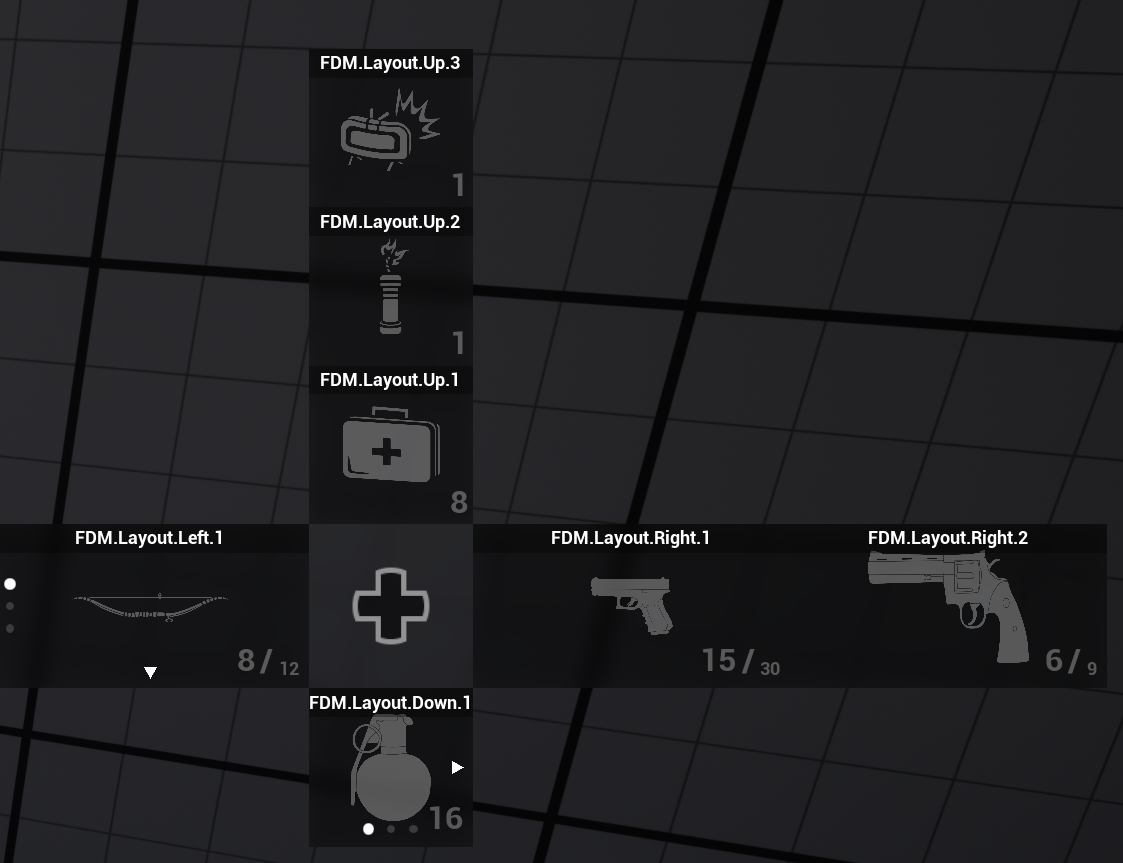
FDM.Layout.Right.2 above in Layout Data, the menu will look like that.
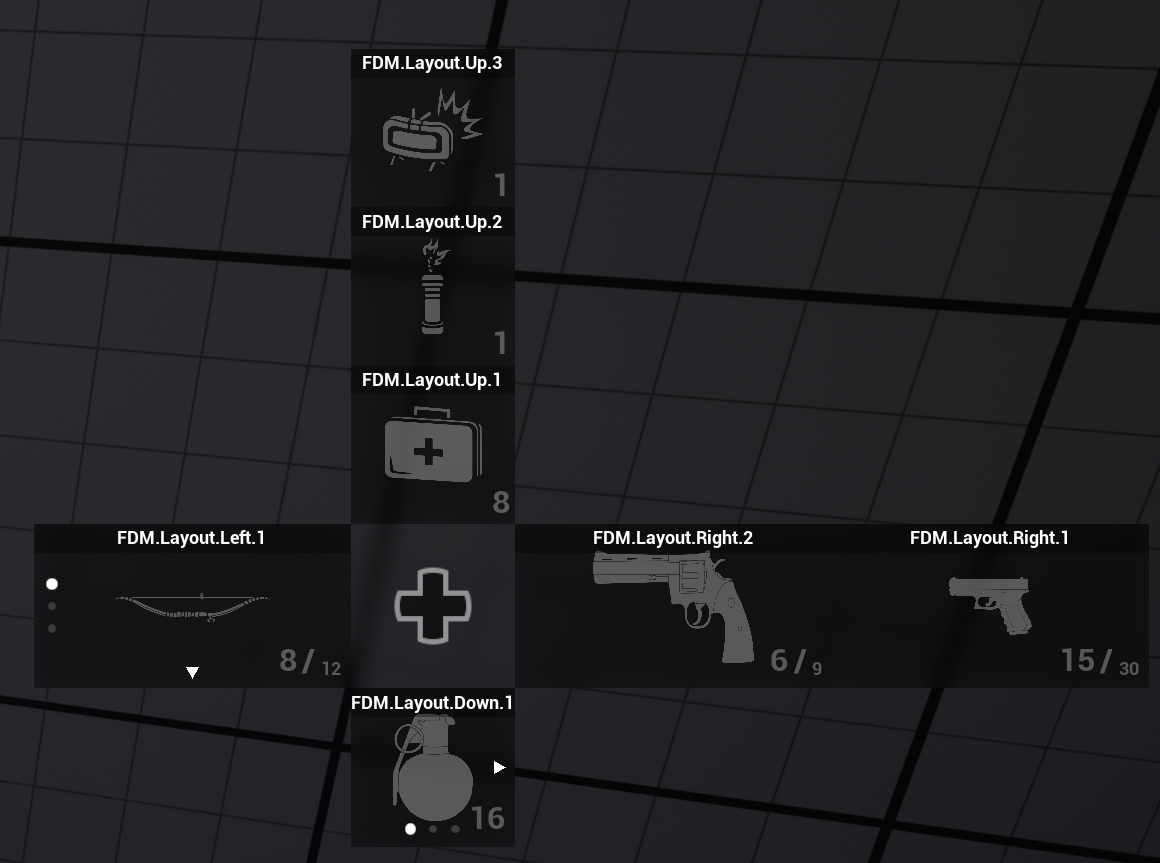
FDM.Layout.Riffle, FDM.Layout.Pistol, FDM.Layout.Throwables.
This ordering rule allows designers to control layout order simply by rearranging layout entries in the configuration, without changing code.
The component maintains the mapping between:
- Entry(Object) -> Location(S_FDM_EntryLocation)
- Container Location(S_FDM_ContainerLocation) -> Slot Count(int)
- Container Location(S_FDM_ContainerLocation) -> Active Slot Index(int)
- Direction(Up, Right, Down, Left)
- Container Index within that direction