| On FDM Initialized | After widget creation, layout initialization, and default entries are applied. | Safely interact with the menu after startup. |
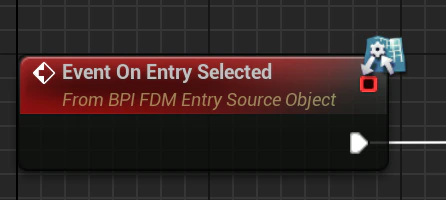
| On Selected Entry Changed | Selection changed | Switch equipment, activate ability, activate Photo Mode etc. |
| On Entry Focused | An entry receive focus | UI Feedback |
| On New Entry Added | A new entry added | UI Feedback |
| On Entry Placements Changed | An entry location changed or an entry removed | UI Feedback |
| On Nested Mode Changed | When the user enters or leaves nested selection mode | Animation, camera or gameplay state changes and UI Feedback |
| On Slot Action Started | Hold started | UI Feedback |
| On Slot Action Progress | Holding in progress | UI Feedback |
| On Slot Action Triggered | Holding successful | UI Feedback |
| On Slot Action Completed | Holding finished and button released | UI Feedback |
| On Slot Action Cancelled | Holding interrupted | UI Feedback |
| On Menu Visibility Changed | When the widget visibility changes | UI Feedback |