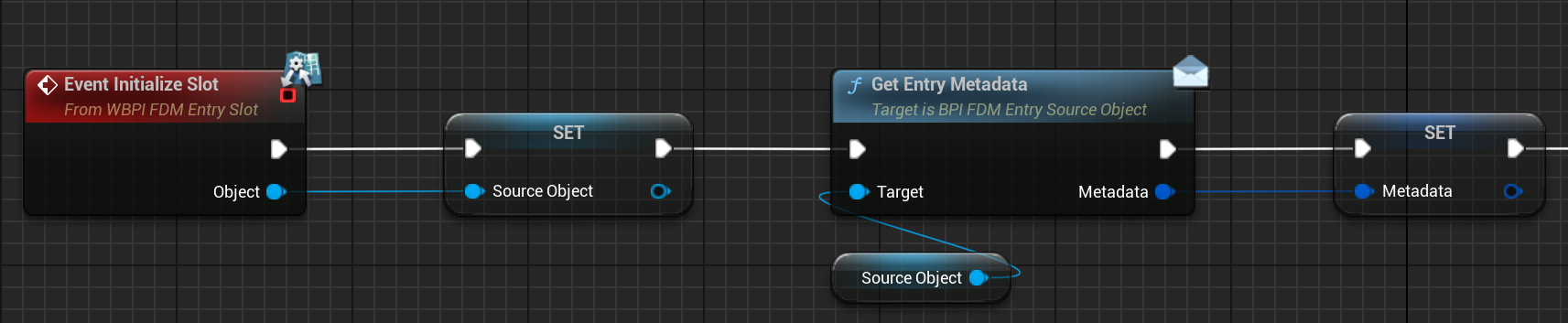
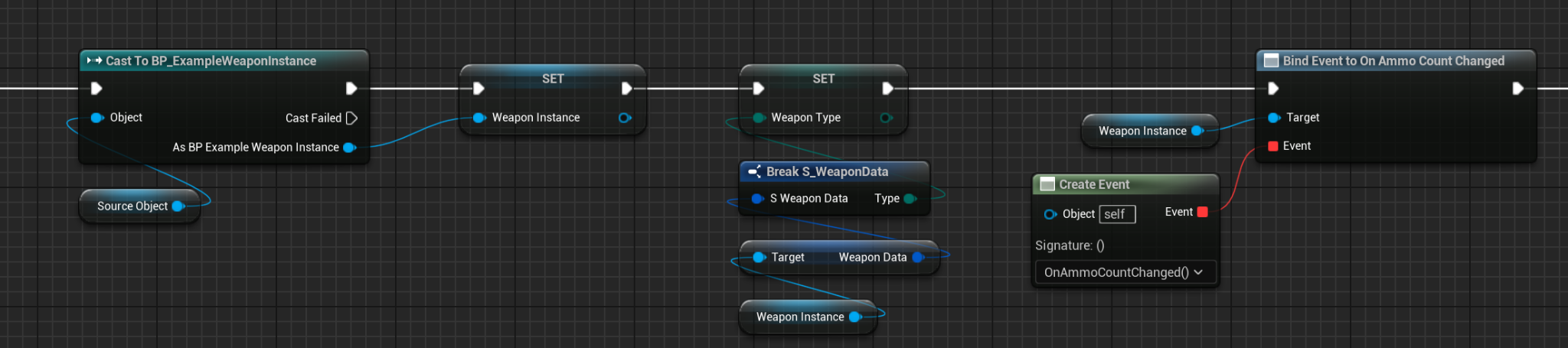
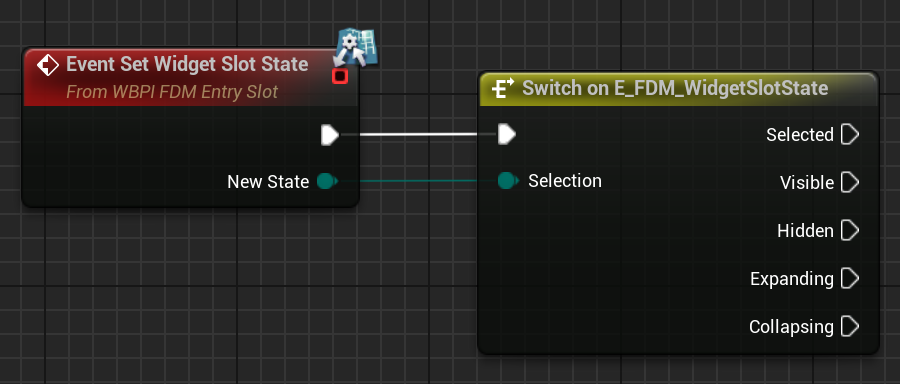
A Slot Widget is the visual representation of an Entry. It must implement the WBPI_FDM_EntrySlot interface. When an entry is added to the menu, the corresponding widget class (WidgetSlotClass from Metadata) is created and added to the menu, then the InitializeSlot interface function is called. image79 and that’s how you can customize your widget by accessing Metadata. image80 Additionally, you can keep the UI up-to-date by casting the Source Object given as a parameter to your own class and binding events. And the other WBPI_FDM_EntrySlot interface function is Set Widget Slot State. image81 This function is called to determine the visibility of the slot widget. You can use different techniques for hiding/showing your widget. I believe that the Selected, Visible, and Hidden states explain themselves; I will explain the Expanding and Collapsing states later.